


How Professionals Turn Your Image Into a Clean Vector
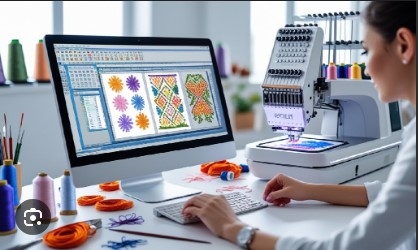
A clear image is important for good design work. But not every image is ready for print, signs, shirts, or brand use. Many logos and graphics start as small JPG or PNG files. These files can look fine on a phone. Yet, they may look rough when made large. This is where vector art can help.
If you need to Turn Your Image Into a Clean Vector, a skilled designer can rebuild the image with clean lines, smooth curves, and clear shapes. The goal is not just to trace the image. The goal is to make a useful file that stays sharp, is easy to edit, and works well for real projects. A good vector file can be used for logos, signs, shirts, labels, print work, and more.
What Is a Vector File?
A vector file is made with paths, lines, curves, and shapes. It does not use a fixed set of pixels like a JPG or PNG.
This gives vector art a key benefit. You can make it much larger or smaller without making the edges look rough.
Common vector file types include:
-
AI
-
EPS
-
SVG
-
PDF
Each type has its own use. The best choice depends on the project and the software you use.
Vector vs. Raster Images
Raster images use pixels. JPG, PNG, BMP, and TIFF are common raster types.
A raster image may look clear at its set size. But if you enlarge it too much, the pixels can become easy to see.
Vector art works in a different way. Its paths can be scaled while keeping smooth edges.
This is why many brands need vector files for their main logo and key art.
Why Do People Need Vector Conversion?
Many people have old logos saved as small image files. They may also have a photo, scan, or screen shot of the art.
The image may not be good enough for print.
A clean vector file can solve this issue.
Common Uses
Vector conversion can help with:
-
Logos
-
Signs
-
Shirts
-
Labels
-
Stickers
-
Packaging
-
Banners
-
Print work
-
Web graphics
-
Brand art
-
Embroidery prep
The same vector logo can often be used for many of these needs.
How Professionals Start the Work
Good vector work starts with a close look at the source image.
A designer checks the full image before tracing it. They look at the shapes, lines, text, colors, and small details.
They also ask how the file will be used.
A logo for a web page may need a different setup from a logo for a large sign. Art for screen print may also need changes.
Check the Source Image
The source image can be:
-
JPG
-
PNG
-
PDF
-
Scan
-
Photo
-
Screen shot
-
Old logo file
A clear source file gives the designer more detail to work with. But even a poor image can often be rebuilt by hand.
The key is to use the best file you have.
Step-by-Step Vector Conversion
Professional vector work is more than using an auto-trace tool.
1. Study the Artwork
First, the designer checks the full image.
They look at:
-
Main shapes
-
Curves
-
Lines
-
Text
-
Colors
-
Gaps
-
Small marks
-
Background
This helps them plan the best way to rebuild the art.
2. Clean the Source
Old artwork may have dust, blur, rough edges, or other flaws.
These issues are cleaned before or during the trace.
The designer also decides which details are useful and which ones can be removed.
3. Trace the Main Shapes
The main shapes are rebuilt with vector paths.
This step needs care. Too many points can make a curve look rough. Too few points can change the shape.
A skilled designer uses the right number of points to keep each line smooth.
4. Rebuild the Curves
Curves are a key part of clean vector art.
A logo may have round letters, circles, waves, or other curved parts.
The designer adjusts the paths until the curves look smooth and close to the source.
5. Rebuild Small Details
Some small parts of the image may not work well as they are.
A thin line may need to be made a little wider. A tiny gap may need to be opened.
These small changes can help the art work better in print.
The main goal is to keep the original look while making the file useful.
Color Matching Matters
Color is a big part of brand art.
A designer checks the colors in the source image and rebuilds them in the vector file.
Screen colors may not always match print colors. This is why brand color codes can be very useful.
Give Brand Color Codes
If you have set brand colors, share them with the designer.
This can include:
-
CMYK values
-
RGB values
-
Pantone colors
-
HEX codes
The right color system depends on where the art will be used.
Clean Text Is Important
Text can be one of the harder parts of a logo.
The designer first checks the font. If the font is known, they may use the same font.
If the font is not known, they may trace the letters or rebuild them.
Convert Text to Shapes
For many final logo files, text is changed into outlines or shapes.
This can help prevent font issues when the file is opened on another computer.
The letters become part of the artwork. They no longer rely on a font being installed.
Remove the Background
Many source images have a background that is not needed.
For example, a logo may be placed on a white box.
A clean vector file can remove that box and keep the main logo.
This makes the file easier to use on:
-
Dark shirts
-
Light shirts
-
Signs
-
Stickers
-
Boxes
-
Bags
-
Labels
A logo with no unwanted background is much more useful.
Why Clean Paths Matter
A good vector file should have clean paths.
Poor paths may have:
-
Too many points
-
Rough curves
-
Overlapping shapes
-
Hidden objects
-
Open paths
-
Unneeded parts
These issues can make the file hard to edit.
They may also cause problems in print or cutting work.
A professional designer checks the file after tracing. They remove extra parts and fix weak areas.
Make the File Easy to Edit
A clean vector file should be simple to work with.
Shapes should be easy to select. Colors should be easy to change. Parts should not overlap without a reason.
This can save time later.
For example, a business may need the same logo in black, white, and full color.
A well-built file makes these changes much easier.
Keep Useful Logo Versions
A business may want:
-
Full-color logo
-
Black logo
-
White logo
-
One-color logo
-
Horizontal logo
-
Vertical logo
Not every brand needs all of these. But keeping useful versions can make future work much faster.
Vector Art for Print
Vector files are widely used for print work.
They can help keep logos and shapes sharp on both small and large items.
Common uses include:
-
Business cards
-
Flyers
-
Posters
-
Banners
-
Signs
-
Labels
-
Packaging
Always check the print shop's file needs before sending the final artwork.
Vector Art for Shirts and Apparel
Vector files are also useful for apparel work.
They may be used for:
-
Screen print
-
Heat transfer
-
Vinyl cutting
-
Shirt graphics
-
Workwear
-
Team clothing
The art may need some changes based on the print method.
Very thin lines and tiny details may not work well on every material.
A good designer can spot these issues before the file goes into production.
Vector Art and Embroidery
Vector art can also help with embroidery work.
But a vector file is not an embroidery file.
An embroidery machine needs stitch data. A digitizer uses the artwork to plan those stitches.
A clean vector can make this work easier because the shapes and edges are clear.
What a Digitizer Checks
A digitizer may use the clean art to plan:
-
Stitch type
-
Stitch direction
-
Stitch density
-
Underlay
-
Color order
-
Shape size
-
Stitch flow
The final embroidery file still needs proper digitizing and testing.
Common Problems With Auto Trace
Automatic tracing can save time on very simple art. But it is not always the best choice.
Auto trace may create too many points. It can also make curves rough or change small details.
This can be a problem with logos.
Manual Cleanup Gives More Control
Manual tracing lets the designer control each key part of the image.
They can fix curves, remove extra points, adjust shapes, and match the source more closely.
This is often useful for detailed logos and brand art.
How to Pick a Vector Design Service
Not all vector services work in the same way.
Take some time to check the service before sending your artwork.
Check the Portfolio
Look for real work.
Check for:
-
Smooth curves
-
Clean edges
-
Good shape control
-
Clear text
-
Good color work
-
Clean final files
Before-and-after samples can be very helpful.
Ask What You Will Get
Ask which file types are included.
You may need AI, EPS, SVG, or PDF.
Also ask if the file will be fully editable.
Ask About Manual Work
For complex art, ask if the file will be traced and cleaned by hand.
This can give the designer more control over small details.
Why Skilled Work Matters
Vector conversion is not just about knowing design software.
A skilled designer needs to know how artwork works in real use.
A logo may look good on a screen but fail when printed on a large sign. A thin line may look fine in a file but disappear on a shirt.
Good design work takes these needs into account.
Absolute Digitizing focuses on clean artwork that can support print, branding, apparel, and embroidery needs. Careful tracing and file cleanup can make the final art easier to use and edit.
Simple Vector File Checklist
Before you approve your final file, check these points:
-
Are the edges smooth?
-
Are the curves clean?
-
Are the colors correct?
-
Is the background removed if needed?
-
Is the text correct?
-
Are there any extra shapes?
-
Is the file easy to edit?
-
Is the size right?
-
Is the needed file type included?
-
Does the final art match the source?
If the answer is yes to these points, your vector file should be ready for many common uses.
Final Thoughts
Turning an image into a clean vector can make a big change in how you use your artwork. A good vector file stays sharp when resized. It also gives you more control over shapes, colors, and text.
Professional conversion should include careful tracing, smooth curves, clean paths, proper color work, and file cleanup. Manual work can be very useful for logos and detailed designs.
Absolute Digitizing can help businesses prepare clean vector artwork for print, branding, apparel, embroidery, and other needs. With a well-built vector file, you can use the same artwork in many places while keeping a clean and sharp look.

 English
 Arabic
 French
 Spanish
 Portuguese
 Deutsch
 Dutch
Dutch
 Italiano
 Russian
 Romaian
 Portuguese (Brazil)
 Greek
Greek