

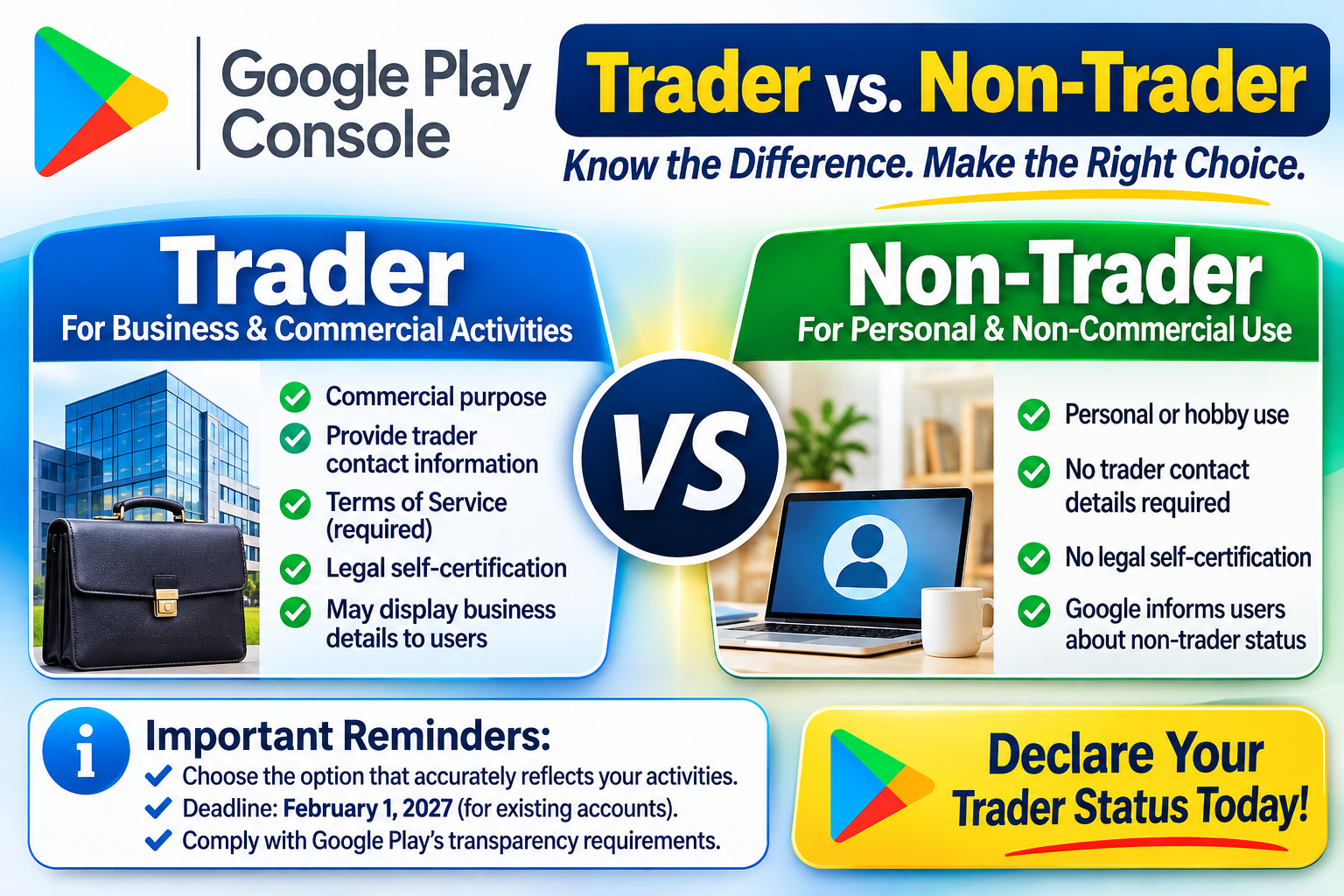
Google Play Console: Trader vs. Non-Trader

Complete Guide to Understanding the Differences
If you publish Android applications through Google Play Console, you may be asked to declare whether you qualify as a Trader or Non-Trader. This classification is part of Google's efforts to meet consumer transparency requirements under applicable European Economic Area (EEA) and United Kingdom (UK) regulations.
Understanding the difference is important because your selection determines what business and contact information may need to be disclosed to users and what additional requirements you must meet.
Let's take a closer look at both classifications, their requirements, and how to determine which one applies to your developer account.
1. What Is a Trader Account?
A Trader is an individual or organization that publishes applications as part of a business, professional, commercial, or economic activity.
You do not necessarily need to own a registered company to qualify as a Trader. Individuals operating commercially can also fall under this classification.
Examples of Trader activities include:
-
Publishing applications as part of an established business.
-
Generating revenue through in-app advertisements.
-
Selling paid applications on Google Play.
-
Offering subscriptions or in-app purchases.
-
Developing and distributing applications for commercial purposes.
-
Operating an application platform or digital marketplace.
What Happens When You Declare Trader Status?
If you identify as a Trader, Google may require you to:
-
Provide the necessary trader contact information.
-
Submit a business or professional address and telephone number.
-
Provide a Terms of Service link for each applicable app.
-
Complete the required legal self-certification.
-
Supply additional business identification information, where applicable.
-
Allow certain trader information to be displayed publicly to users in relevant regions.
For personal developer accounts, certain contact details may be displayed publicly. Organization accounts may have different disclosure requirements.
2. What Is a Non-Trader Account?
A Non-Trader is an individual who publishes applications for genuinely personal, hobby-related, or other non-commercial purposes.
This classification is generally intended for developers who are not operating their app-publishing activities as a business or professional venture.
Examples of Non-Trader activities include:
-
Developing applications as a personal hobby.
-
Publishing free applications for personal projects.
-
Creating apps without commercial objectives.
-
Sharing applications for educational or recreational purposes.
-
Maintaining applications without operating a commercial app-publishing business.
What Happens When You Declare Non-Trader Status?
When you declare Non-Trader status:
-
You confirm that your app-publishing activities are non-commercial.
-
You do not complete the additional Trader self-certification.
-
Trader-specific business contact information is not required under this declaration.
-
Google informs users in applicable regions that certain consumer protection rights relating to trader contracts do not apply.
-
You must still follow Google's general Developer Program Policies and other applicable requirements.
Choosing Non-Trader does not exempt you from Google's standard developer obligations.
3. Trader vs. Non-Trader: Key Differences
The following table highlights the main differences between the two classifications.
| Requirement | Trader | Non-Trader |
|---|---|---|
| Commercial activities | Yes | No |
| Business or professional purpose | Yes | No |
| Trader contact information | Required | Not required as trader details |
| Public trader contact information | Applicable disclosures | No trader-specific disclosure |
| Terms of Service | Required where applicable under Google's requirements | Not required under the trader declaration |
| Legal self-certification | Required | Not required |
| Consumer transparency information | Trader information displayed | Non-trader declaration displayed |
| General Google Play compliance | Required | Required |
4. Important: Trader Status Is Not the Same as Account Type
One of the most common misunderstandings is assuming that selecting Trader automatically means you must have an Organization Developer Account.
That is not correct.
Google treats these as two separate classifications:
Developer Account Type
-
Personal Account
-
Organization Account
Trader Declaration
-
Trader
-
Non-Trader
An individual using a Personal Developer Account can still qualify as a Trader if their application publishing activities are commercial.
Likewise, having a registered business does not automatically determine your trader status without considering the nature of your activities.
Does Earning Money Automatically Make You a Trader?
Not necessarily.
Generating revenue through advertisements, subscriptions, paid downloads, or in-app purchases can indicate commercial activity. However, no single factor should be treated as an automatic determination.
Other considerations may include:
-
Whether you operate with a profit-making objective.
-
The nature and frequency of your transactions.
-
Whether you conduct activities professionally.
-
Whether your app publishing is part of an established business.
-
Your legal and business circumstances.
Your declaration should reflect your actual circumstances and the applicable legal definition.
5. What If You Do Not Distribute Apps in the EEA or UK?
Your distribution regions matter.
Google's trader verification requirements are connected to consumer transparency obligations in applicable regions, including the EEA and UK.
If you do not distribute your applications in those regions, Google's guidance may allow you to declare Non-Trader status for the relevant requirements.
However, make sure your distribution settings and declaration reflect your actual circumstances. Do not select Non-Trader simply to avoid providing business information if your activities qualify as commercial.
6. Important Deadlines and Compliance Requirements
Developers should pay attention to Google's announced implementation deadlines and account requirements.
The dates referenced in this guide are:
-
February 1, 2027: Deadline for existing active developer accounts to complete the applicable declaration.
-
New developer accounts: Declaration required during the account setup process, where applicable.
-
March 1, 2027: Referenced date for additional marketplace transparency requirements.
Failure to complete required declarations or provide accurate information may result in restrictions on app updates, distribution, or other enforcement measures.
Always consult the latest Google Play Console notifications for requirements that apply to your specific account.
7. Which Option Should You Choose?
Choosing the correct classification depends on how you operate your application publishing activities.
Choose TRADER if:
-
You publish applications as part of a business or professional activity.
-
You operate a commercial digital platform.
-
Your app publishing activities are intended to generate business income.
-
You sell digital products, subscriptions, or other services through your applications as part of a commercial operation.
Choose NON-TRADER if:
-
You publish applications strictly for personal or hobby-related purposes.
-
Your activities are genuinely non-commercial.
-
You meet Google's applicable conditions for developers who do not distribute apps in the EEA or UK.
Do not base your decision solely on whether your developer account is personal or organizational.
Final Thoughts
The Google Play Trader vs. Non-Trader declaration is more than just an account setting. It is part of Google's effort to provide greater transparency and help users understand who is responsible for the applications they download.
Before making your selection, consider your business activities, revenue model, distribution regions, and applicable legal obligations.
The most important rule is simple: Choose the classification that accurately reflects how you operate.
If you are unsure whether your activities qualify as commercial, review Google's official guidance and consider obtaining professional legal advice before submitting your declaration.
Bronnen